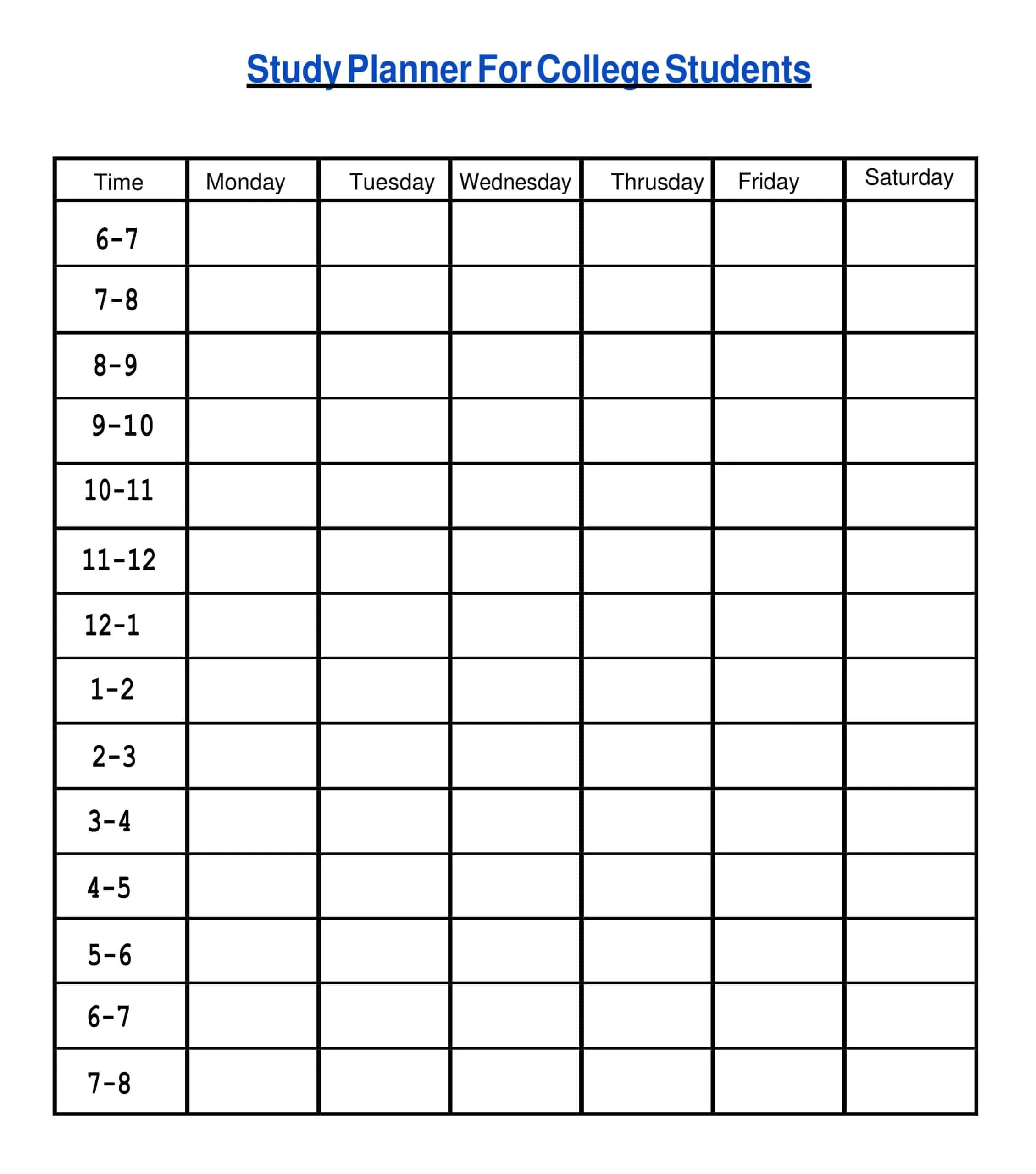
Study Schedule Template for College
Picture yourself staring at scattered sticky notes, half-completed worksheets, and a half-finished Study Schedule Template for College, cluttering your desk sound familiar? Most college students fall into this chaotic trap because they waste time figuring out which assignment deserves attention first, rather than building a smart schedule that actually functions. The reality hits harder during finals week when stress peaks and every study session feels like starting over from scratch. What separates overwhelmed learners from those achieving academic success isn’t innate talent; it’s having one place where assignments, deadlines, notes, and progress converge without bouncing between multiple docs and apps. A printable study schedule college template transforms this madness into manageable clarity by letting you map out study sessions, track deadlines, and record progress simultaneously. Whether you’re a biology major preparing lab review notes or an LSAT student drilling logical reasoning, this approach eliminates the exhausting cycle of deciding where to start each day. Download free resources at Scheduloom that provide complete freedom to edit style, add units, and customize your original design within minutes. Instead of flipping between scattered tools, you’ll treat studying like project management, where every task connects to specific subject material, due dates stay visible, and study locations—whether home, café, or campus get logged strategically. The transformation happens fast: enter schedule details once, let automatic deadline highlighting and date functions handle the repetitive work, and suddenly your printable worksheet becomes a dynamic study planner that updates as your semester evolves.
Who Can Use Study Schedule Templates
The perception that study planner template pdf resources serve exclusively high-achieving students pursuing academic success fundamentally underestimates their versatility across diverse learning contexts. Professionals transitioning careers frequently discover that these templates transform complex project management demands into manageable workflows, particularly when deadlines intersect with certification prep. Consider how MCAT candidates benefit from structuring time around recurring study sessions while simultaneously managing work commitments. The dynamic study planner becomes less about traditional classroom expectations and more about organizing competing priorities through measurable progress indicators.
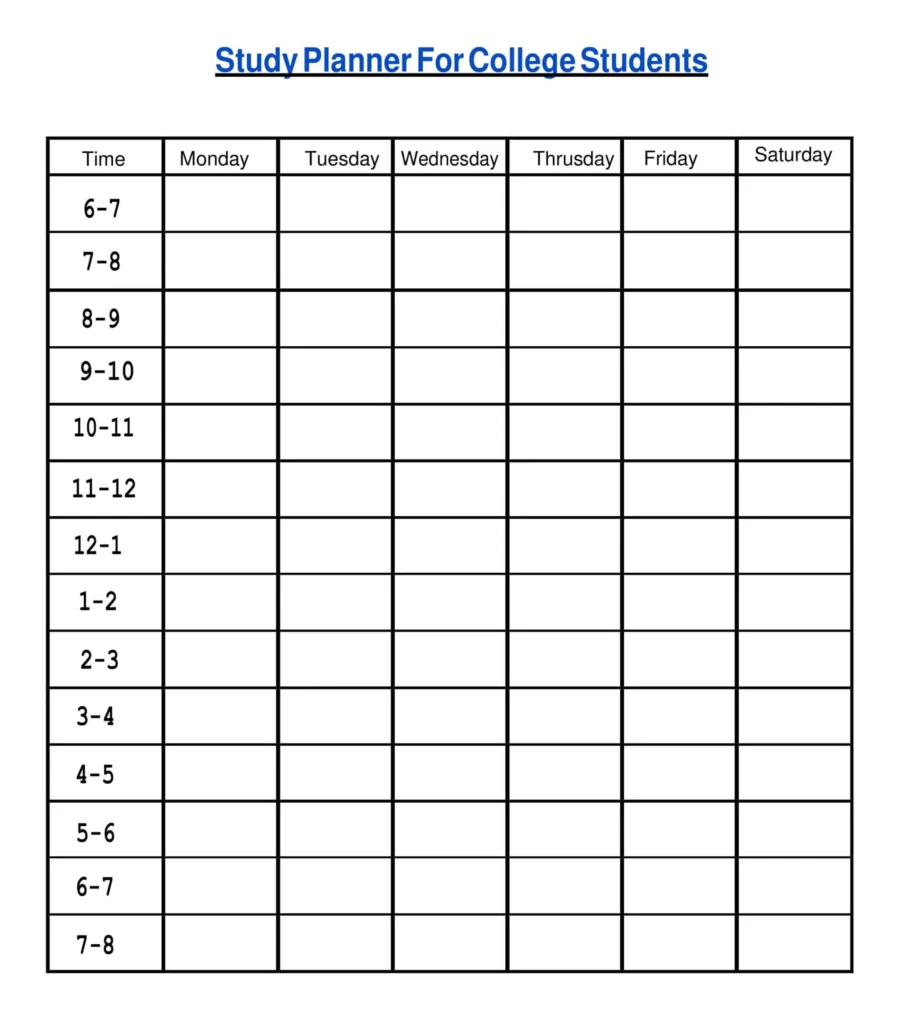
What distinguishes modern editable frameworks from conventional approaches involves recognizing that learners span multiple demographics simultaneously. Teams coordinating research initiatives utilize assignment tracker functionality differently than tutors managing class schedules for multiple students, yet both demographics require tracking progress against complex workloads. The study schedule template architecture proves equally valuable whether you’re a biology major preparing lab review notes or an LSAT student structuring logical reasoning drills around unpredictable work hours. Parents coordinating homework time across different educational levels discover that these ready-to-use templates eliminate the chaos inherent in disorganized plans.
Rather than positioning these resources as rigid roadmaps, the practical reality involves customizing them into living documents that evolve alongside shifting demands. The convenient editor features within Google Docs, Word, Excel, and Google Sheets formats mean classmates collaborate on finals study schedules while professionals adapt identical structures for continuing education requirements. This cross-demographic utility emerges specifically because effective planning transcends age brackets. The focus required for managing study session demands mirrors project coordination across any discipline where timelines, tasks, and study goals demand systematic attention through downloadable blanks that respect individual design preferences.
Benefits of Study Schedule Templates
I’ve watched countless students burn out during finals week because they treat studying like a spontaneous activity rather than something that deserves the precision of project managers handling critical deliverables. The truth about study schedule templates is that they function less as organizational fluff and more as psychological anchors—when you log your progress through a weekly study schedule template, you’re essentially creating a workflow that transforms abstract academic pressure into tangible, manageable chunks. Consider how professionals pursuing certifications don’t just hope they’ll remember to prepare; they allocate time with the same rigor they apply to work schedules, and this is where a college study schedule maker becomes transformative rather than decorative.
What most people miss is how templates eliminate the friction between intention and execution. Instead of spending thirty minutes organizing tasks every session, you open a convenient editor, reference your Assignment/Deadline Tracker, and immediately see where your essays, quizzes, and exams intersect with personal responsibilities. The study planner doesn’t just list what’s due; it forces you into breaking tasks down through priority levels and estimating effort hours, which means those large assignments stop feeling like abstract threats. I’ve seen tutors use the Subject Goals/Topics section to coordinate lesson plans across multiple students, while educators leverage Dashboards to visualize study progress in ways that make milestones feel like incremental wins rather than distant fantasies. The Smart College Schedule approach means tracking deadlines becomes automatic—you’re not manually reformatting a daily study planner every morning because recurring tasks handle the repetitive study blocks automatically.
The real power emerges when you stop thinking about these as static planner templates and recognize them as dynamic learning systems that measure outcomes for both teams and individuals, whether you’re juggling a daily study schedule for college students or coordinating training initiatives with team-wide visibility, the structure keeps isolation from creeping in. You document wins in the Accomplishment Corner, track assignments through Custom fields, and suddenly, you’re not just hoping to finish the assignment early but actually build confidence through verified momentum. When study groups connect through Slack or Microsoft Teams to share quick updates about case studies or readings, the template becomes your reference hub where everything from Cornell notes to screenshots stays linked to specific assignments. This isn’t about aesthetic design or simple design gimmicks—it’s about creating a structured study plan that aligns with exams while serving as your roadmap toward academic success, and honestly, once you choose the right weekly layouts or hourly schedules that fit your workflow, you’ll wonder how you ever functioned with that messy mix of PDFs, Excel trackers, and scattered worksheets.
How to Use/Create a Study Schedule
Building an effective study framework isn’t just about picking a template and mechanically filling out time slots; it requires understanding how your cognitive patterns align with academic demands across different subjects. From my years working with university learners, I’ve noticed that most people overlook the psychological architecture behind successful scheduling, focusing instead on surface-level organization. The real transformation happens when you personalize your approach by first auditing which subjects need more focus based on actual performance data rather than perceived difficulty. Start by linking a Google Doc or spreadsheet where you can attach study notes and materials directly to tasks, creating a connected ecosystem rather than siloed tools. What separates functional from transformational systems is integrating built-in platform features like automatic deadline highlighting and date functions that work as your cognitive autopilot. I’ve seen students replace chaotic paper planners by transitioning to digital format solutions where they assign owners, set due dates, and track completion through visual dashboards that reveal patterns invisible to traditional methods. The convenience lies not in rigid structure but in adaptable frameworks—whether you need a finals study schedule template for exam prep or a weekly study plan for college students managing daily schedules across multiple classes. Upload your resources into one place, let AI generate summaries from dense textbooks, and watch as recurring review sessions compound over weeks. This downloadable study schedule approach transforms overwhelming exam periods into manageable study blocks where every session builds upon previous work, creating momentum that reduces manual planning while increasing actual learning retention.
Key Features of the Study Schedule
A well-designed study schedule template transforms scattered academic efforts into a coordinated system where every study type receives deliberate attention. Rather than treating each assignment as an isolated task, effective templates position your study sessions within a balanced schedule that accounts for cognitive load and energy patterns throughout the week. The most overlooked feature is the Notes/Quick Capture section, which prevents the frustrating experience of flipping between docs when you need to reference something quickly. Everything in one place means you can attach resources directly to your timeline and review later without losing context. Smart templates integrate a habit tracker that doesn’t just list tasks but actually helps measure improvements through smaller goals that build toward your final exam score. Instead of vague intentions, you’ll work with clear objectives that connect daily tasks to broader outcomes, making it easier to see how completing chapters or finishing that draft essay fits into your Monthly Goals section. The Weekly Timetable shouldn’t just block hours; it should help you treat studying like project management, where you set precise estimates and ensure deadlines never slip through accountability mechanisms. Many students discover that varying study locations (switching between the café and campus) keeps mental fatigue at bay while the right plan environment enhances focus. By incorporating specific weeks for longer-term outcomes like case studies or complete research projects, you’re essentially setting higher-level goals that connect immediate work to future challenges, creating a framework that supports both personal growth and celebrating success as you reinforce good study habits.
Integrations & Tools Integrations
When I first started advising college students on time management, I noticed most struggled not with creating a blank study schedule or college framework, but with connecting their scattered digital ecosystem to a reality that transforms how modern learners approach finals study schedule preparation. The integration landscape has evolved dramatically; platforms now allow seamless automation functions where upcoming assignments flow directly from learning management systems into customizable grids, eliminating the friction between intention and execution. What genuinely separates effective templates from digital clutter is their ability to filter by subject while maintaining cross-platform compatibility. Imagine reviewing math problem sets on your tablet during your commute, then switching to history readings on your laptop without losing continuity. The sophisticated ones incorporate AI Smart Summaries that condense dense textbook sections, providing clear highlights when student uploads materials for processing, extracting key takeaways that speed up review sessions dramatically. I’ve watched learners see assignments completed, tracked against how much study time remains, creating psychological momentum through visual progress. The Tasks infrastructure functions as an anchor system, where you can review past exam questions with attached comments and reference attachments from previous semesters, building institutional memory within your academic workflow. This isn’t about adding complexity—it’s about creating intelligent pathways where check tasks complete automatically, your static plan adapts when you read one chapter faster than anticipated, and weekly task distributions like practice essay writing adjust based on actual completion patterns rather than optimistic projections. The sort by status functionality transforms chaotic to-do accumulation into strategic prioritization, making integration the difference between owning your schedule and being owned by it.
FAQS
What makes a study schedule template worth downloading versus creating from scratch?
When I first encountered a ready-to-use template from a reputable test prep company’s resource hub, I realized the time savings were enormous. You skip the entire process of manual formatting and creating the study schedule template components right away. Most pre-made templates include sections for specific subject tracking, topic breakdowns, due dates, and goals—elements that take minutes to set up rather than hours. The editor gives you complete freedom to edit style, add units, and adjust schedules while maintaining the original design. These spreadsheets include sections like to-do lists, days of the week planning, and notes fields that instantly adapt when you need them.
Who actually benefits from using structured study templates?
Beyond high school learners, multiple stakeholders gain advantages. Study group coordinators can visualize timelines for a single project, ensuring everyone hits the same deadline. The consistent structure helps participants handle demanding coursework efficiently, allowing them to focus on what matters most—actual learning rather than planning logistics. When paired with apps for capturing notes digitally, you can streamline workflows, and better time management emerges naturally. Even graduate students juggling lectures, review sessions, and study sessions alongside personal events find their week balanced through template-driven organization.
How do modern templates integrate with existing digital ecosystems?
Integrations expand functionality, connecting study planning with everyday tools and applications. Google Calendar syncs study tasks so you receive reminders before crucial study sessions. When professors upload PDFs or attach study notes to assignments, Dropbox attaches files paired with the correct assignment automatically. The system sends notifications when new assignments added or deadlines change, creating a link back to tasks with full context. Google Workspace integrates Docs, Sheets, and Slides, keeping links to class notes and assignment materials where your study group attaches shared Sheet data for practice test results. Instead of bouncing between apps, Google Workspace files live alongside tasks, keeping work accessible in real time.
What accessibility features make these templates universally practical?
The compatible design works across PCs, laptops, and mobile phones, letting you check lesson plans or update homework notes with a couple of clicks. Templates export to convenient formats that work with various formats and editors, offering conveniences like a smart schedule system. You can generate documents suitable for printing or printable notes for those preferring handwritten notes during lectures. Whether you need to take notes, finish chapters, or search through study note archives, access happens on any device where you’re signed in to your Google account. The template benefits extend to capturing notes digitally while maintaining flexibility for updates—no more losing study notes between locations.
What results can students expect from consistent template usage?
Students experience higher completion rates and improved result patterns across exams. The system functions as more than a planner; it actively helps you adapt study approaches based on progress over time, shown through graphs. You’ll review open assignments without missing critical review sessions, and the structure naturally promotes better time management. Through calls with study partners or reviewing class discussions about group study meetings, the template keeps focus sharp. My editorial team tracked users who could enter schedule details, make copy to their Google Drive, and begin immediately; they reported better grades within weeks. Templates with checkboxes, formulas, and added features offer personalization without requiring additional tools or platforms. Try for free by clicking any template preview to go to a page where you’ll find a button saying Edit in Google Sheets. The copy is created automatically upon clicking the button, and your selected template opens in a new window. Fill out sections within required blocks, open any device, and take advantage of features that don’t need technical expertise.